No more Renfest

I have a friend of mine who loves going to the Texas renaissance festival. It’s on, every year, outside of Houston. I’ve been there a couple of times, in, I think it was 2007, while I lived in Houston.

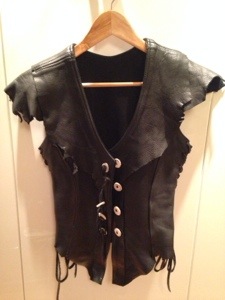
It was so much fun, and off course I got a little carried away, and ended up buying a leather vest and a long knife/dagger, as part of my “outfit” 😉

Now that I’m no longer living in Houston, I haven’t been back to enjoy the Texas renfest. And there are no renaissance festivals here in Norway that I know off.

So I think it’s time to let the “outfit” go. It’s not like I’m going to drag my vest with me, should I happen to be in Houston, at the time of a renfest.

I love the look of my dagger, so I’ll keep that (at least for a little longer) it’s seriously cool 😉 But the leather vest might as well go. I’ll never use it again. Should I ever decide on acquiring a renfest outfit, I have a different look in mind, that this vest won’t work with.

So, bye, bye, my dear vest… it was fun while it lasted 😉

20140315-203219.jpg

It can happen!

I’m the proud owner of a spotless kitchen 🙂

Now if it would just stay that way. Unfortunately it normally last about 10 minutes, and then it looks like a bomb went off 😉

Having a smallish place, I’ve found that it doesn’t take much before the house suddenly starts to look messy. You know what I’m talking about! A glass here, a pot there, a few magazines thrown around, a bowl, a cup, a piece of clothing, some shoes and WHAM, what the heck happened to my spotless place?

The key to keeping it “kinda” under control, is to have space to put things away, preferable behind “closed doors” 😉

And no, I’m not talking about the, throw everything into a room, close the door, and hope (seriously hope), nobody ever opens it, because they will surely loose their life, by all the things falling on top of them, kinda “closed door” 😉

I’m talking about the being able to open a drawer, cabinet, closet and nicely put things away, kinda “closed door”!

I wish I had a few more of those spaces available, and that is why I’m decluttering. To give myself some free space to tuck things away, for the everyday clean look, that I love.

And to show you, that I – for at least a minute – succeeded with the clean look. I’ve attached a couple of pictures of my kitchen (which, by the way, I am really proud of – you see – my dad and I installed the kitchen ourselves, when the house was built 🙂 ).

2014-03-01 11.43.32 2014-03-01 11.44.00

February tally!

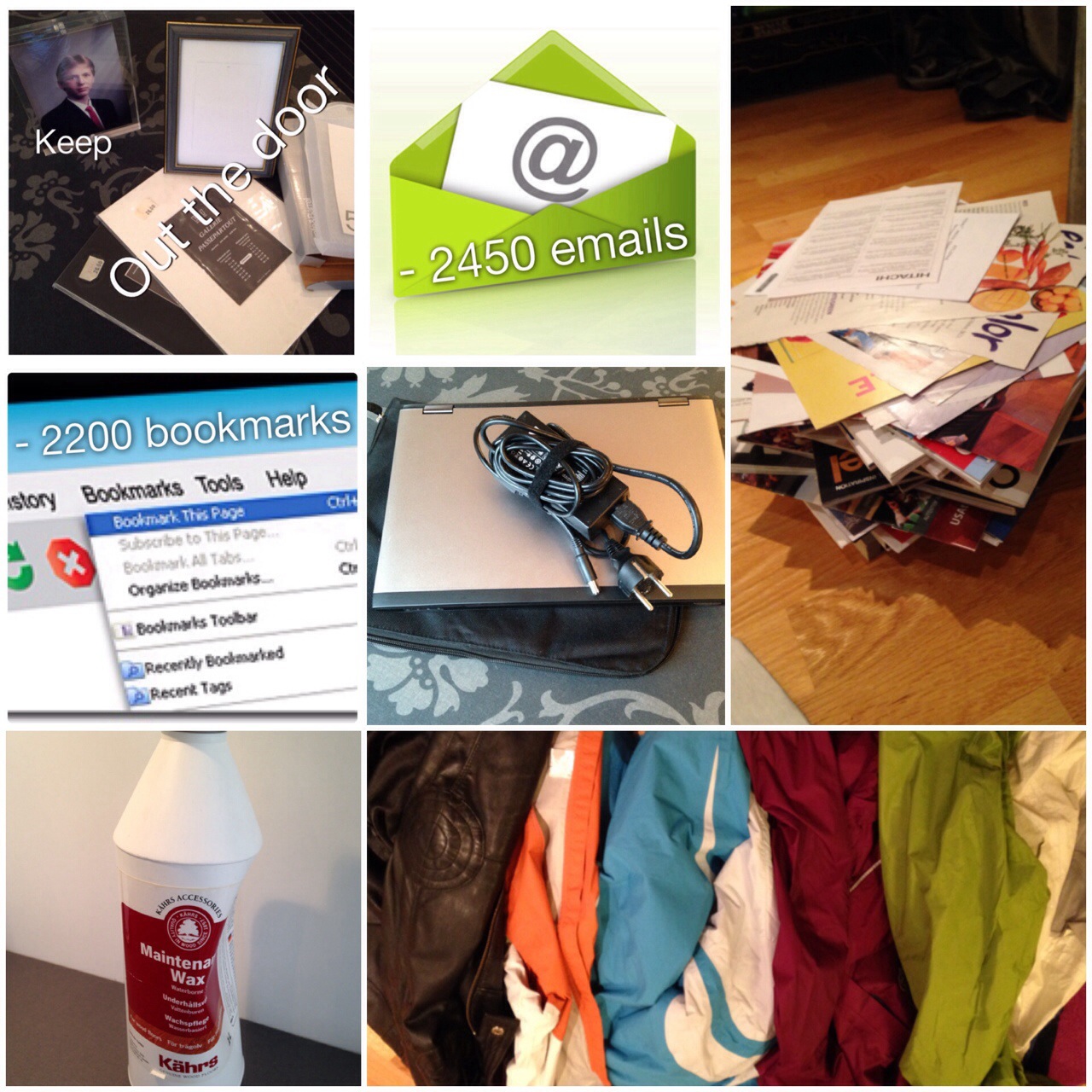
I’m two months into my declutter challenge! It seems like I have focused mostly on digital clutter during February, but even so, there are a few other items that went out-the-door!

2014-03-02 19.37.59

Below is an overview. You will see that some I count as one item, and some I count as individual items.

FEBRUARY’s TALLY of things “out-the-door” =  45 items + 2200 bookmarks and 2450 emails

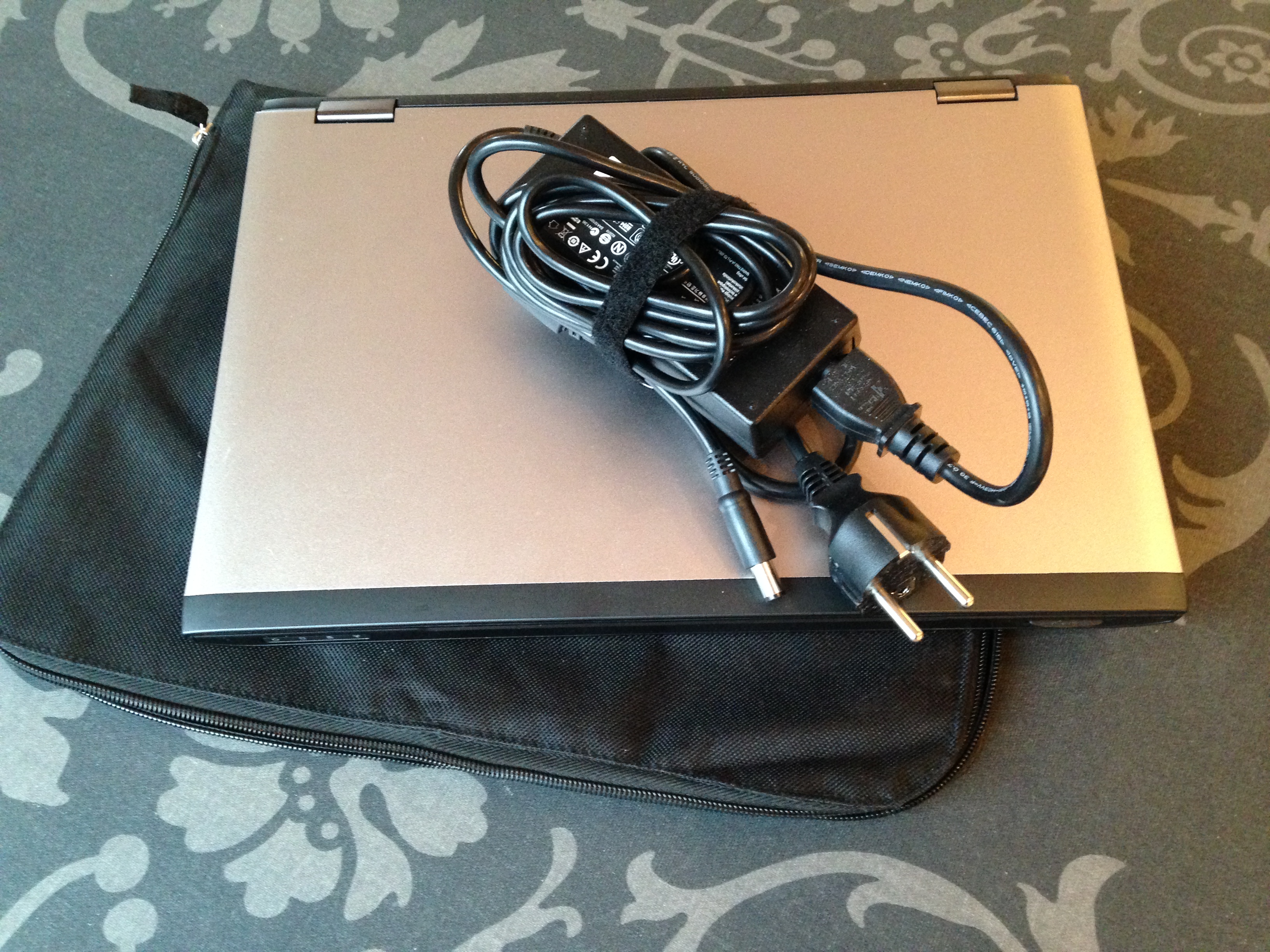
  • 1 laptop
  • 5 outdoor jackets
  • 1 picture frame
  • 2 picture mat’s (count as 1)
  • 16 sheets of paper cut outs (count as 1)
  • 2 manuals (count as 1)
  • 7 magazines
  • 27 catalogues
  • 1 bottle of floor wax

And then there are the non tangible items – the digital deletes:

  • 1900 web bookmarks
  • 1500 emails at my work mailbox
  • 950+ emails at my personal mailbox
  • and another 300+ web bookmarks (Feb 28)

No more waxing…

Actually I never got started 😉

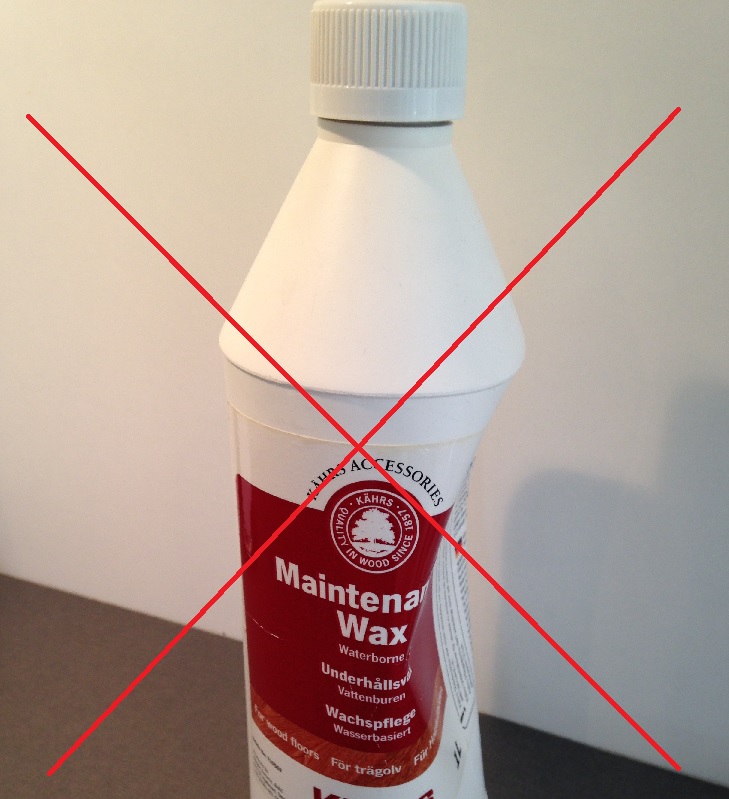
When I moved into my house I bought a bottle of floor treatment, for future maintenance.

Last week when I went through my china cabinet to get rid of manuals, catalogues and so on. I also came across the manual for how to treat my wooden floor. Looking through it, I decided to have a look at the bottle I got, since I’m thinking about maybe giving my floor a “spruce” sometime this year.

Turns out the guy at the store have given me the wrong thing. In my kitchen cabinet a maintenance WAX, an not a OIL refresher is gleaming back at me 😦 So what can I do? Well the bottle of wax is 6 years old, so it’s not like I can go back and complain! 

So guess what? Out the house it goes 😉

At least now I know what to get, when I finally get around to needing a floor refresh 😉

Wax bottle

Bookmarks

I have a serious bookmark issue –

Having had pc’s both at home and at work, like forever, I have collected a few bookmarks to websites over the years. Throw a few smartphones and iPads to this mix, and you can see my problem 😉

How bad can it be, you might ask?

Between all my devices I have somewhere in the vicinity of 2500 bookmarks!!!

I found that the work pc alone have close to 1000 – whoa!!!

My new personal computer have around 300, and I have backup from old ones, with close to another 1000 – 949 to be exact.

Android phones/iPhone/iPad? Don’t have a clue – I can’t even think, to have to, manually count them – but it’s looking like at least 200+

Adding this to the email challenge I’ve started, it looks like I’m getting into a bit of digital clean ups these days.

So what did I do? Well – I’m proud to say, I got around 1900 of them deleted 🙂

A lighter china cabinet!

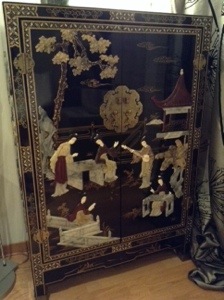
I have this beautiful oriental cabinet, sitting in the middle of my Scandinavian style furniture.

Of all things in this wold to use it for, I keep a lot of catalogues and brochures, papers, manuals and bills in it. It’s also the place I put all papers I keep through the year, before they get archived away, come tax time 🙂 I might also put some of my magazine cut outs in here as well, oh yes, and the town-house community correspondence (I’m on the board.. actually thinking about it, I think, I am the board 😉 )

So you see, my little cabinet, is in a sense – my office storage.

Today I decided to go through some of the brochures, cut outs and manuals. The regular paper cleanup, is a March/April job, while preparing for tax time.

The catch of the day?
16 cut out sheets from magazines
2 user manuals for stuff I no longer own
7 magazines
27 catalogues and brochures

20140220-191945.jpg

My oriental cabinet – what you think?
20140220-192110.jpg

It’s time…

You are the cutest little thing, and I love you dearly. You have served me well over the years, and I’m really sorry, my “little red one”, I think it’s time…

A couple of weeks ago I wrote an article “I’ve got my weekend cut out for me“, about setting up a computer, and some of the work involved in moving from an old to a new.  That weekend I spent my time swapping over from a computer I had borrowed, so I could get it out the door 🙂

Today (and the next days) it’s time to tackle my cute little red 13,3” laptop!

Copy everything off the old and start the hard work of sorting out what to put on the new. I’ll pretty much be following the same procedure I wrote about last time.

So far I have moved about 56 GB of data, and it’s still going strong. Turns out there is loads of photos, videos, oh yeah, and music…

I already have backups of most, but for the job at hand – I’m copying everything to a separate folder on the external hard-drive, just in case.

I can see my next task, of sorting my external hard-drives, looming in the horizon 😉 I’ll be needing at least a month, at some later time, sorting out my external hard-drives (I have several). I have to consolidate my backups and make sure I don’t have a zillion copies of everything. But, that’s another task, for another day 😉

So what am I doing with my “little red one” when I’m done? Well…

I could clean it up! It might be useful as a backup (if I could make it work properly) but it’s 7 years old, and setting it up with the latest updates and drivers, would take a bit of time.

Or, I could send it out-the-door as an items in my decluttered pile.

I haven’t really made up my mind yet, it’s a cute little computer, I really like it, and it’s hard to part with 😉

I might keep it a little longer, until I’m sure my new one works the way I want it to. I’ll let you know when I’ve had a think about it, and by the rate the backup is going… I have several days to mull it over 😉

Email declutter challenge

I believe I need an email declutter challenge.
I’m completely into email overload, especially at work. I have lost all control, and looking at the 1211 unread email is just about to drive me nuts (yes, even more so, than I already am 😉 ) Talk about stress factor.

Enough is enough, I’m going to give myself an email declutter challenge for 2014. I’ll be deleting and archiving as best as I can. I know I can’t delete everything since I need to keep some for work, but hopefully I’ll be able to archive most of those, to our digital storage, so that my personal mailbox at the office no longer overflows. And I definitely have some old and “mouldy” emails I should be able to loose with not too much elbow grease 😉

As I write this I have 1,45 GB worth of emails in my work mailbox, amounting to 19592 individual emails! What on earth!!!!

My goal for this year – reduce to less than 500 MB worth of emails – how many individual are this? I don’t have a clue! Guess we’ll find out as I go along. I’m hoping that brings be down to less than 2-3000. That’s loosing 17 000 emails.

How? – Using the Inbox Zero concept.
I will be implementing the Inbox Zero system by Merlin Mann. What is the Inbox Zero, you might ask? It’s a simple but great concept of how to handle emails that comes your way. In short it is an system to help you take your email box from overstuffed (like mine) to zero – and then keep it that way. The system cover the skills, tools and attitude that helps you to accomplish this.

I just about “kissed the ground” when I came across this system a while ago. I had ever intention to start my 2014, implementing this system, but as soon as I walked into my office that first day after new year’s, all “hell” broke loose, and I have not found the time to actually sit down to do this yet. But tomorrow a new day is born – and it’s finally happening 😉

This concept might, or might not, be for you – but regardless if you have a small or a HUGE mailbox, I strongly recommend you reading about it anyway, even if you believe you have everything under control 😉 There might be an idea or two that could help you in your everyday email life!

I could do a quick write up of the concept, but I think I’d rather leave you in Merlin Mann’s capable hands on Inbox Zero instead.

My plan
As part of implementing this system, I need to de-stuff my horrible 19592 mail mailbox. So through 2014 I’ll give myself a couple of 30 days challenges to accomplish this. I’m starting tomorrow, and my goal for the first 30 days is no less than 7000 emails. “Starting a Tuesday in the middle of the month? Why not start the first of the month or at least in the beginning of the week?” You might ask. Well, why not? There is no more perfect day to start, than NOW 😉

Since the intention is to get rid of old emails all together, any new emails will not count against the 7000. By the time my 30 days are over I have to be down to no more than 12592 email left in my mailbox. (Oh my!! That’s a whole lot of deleting and archiving…)

Keeping track
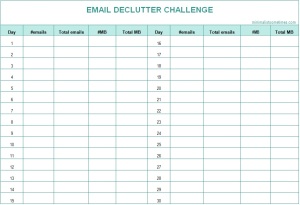
For the fun of it I made myself a template, that I printed out. It is just a simple sheet, that you can easily make yourself, or you can print mine 🙂

Why don’t you join me? I’m sure you have one or two, to many…

Lets get started!!

Email declutter challenge – downloadable PDF
Email declutter challenge picture 1

I got framed…

A long time ago, I used to have a lot of inherited photographs, of family members. They came in all sorts of shapes and forms, and at that time I bought a few frame mats, just to have some of the pictures look a little better.

After inheriting even more photos, I suddenly got overwhelmed. I swear I had around 35 – 40 frames stacked around in my house, and not one of them was alike.  All these different looking frames made the place look really cluttered, since I live in a much smaller place than I do today.

And then it hit me – why don’t I take all the photos, and put them all into a album instead? And that’s exactly what I did. I removed all the photos from the frames. It was a great idea, because when removing them I found even more photos tucked behind I never knew about (told you the photos was inherited right?). I had purchased a nice album with black sheets (I think older photos, look better on black), and I added them all to the album.

I tossed all the unused frames – good riddance 🙂

I still left out a few photos in frames, but only kept the ones I cared most about.

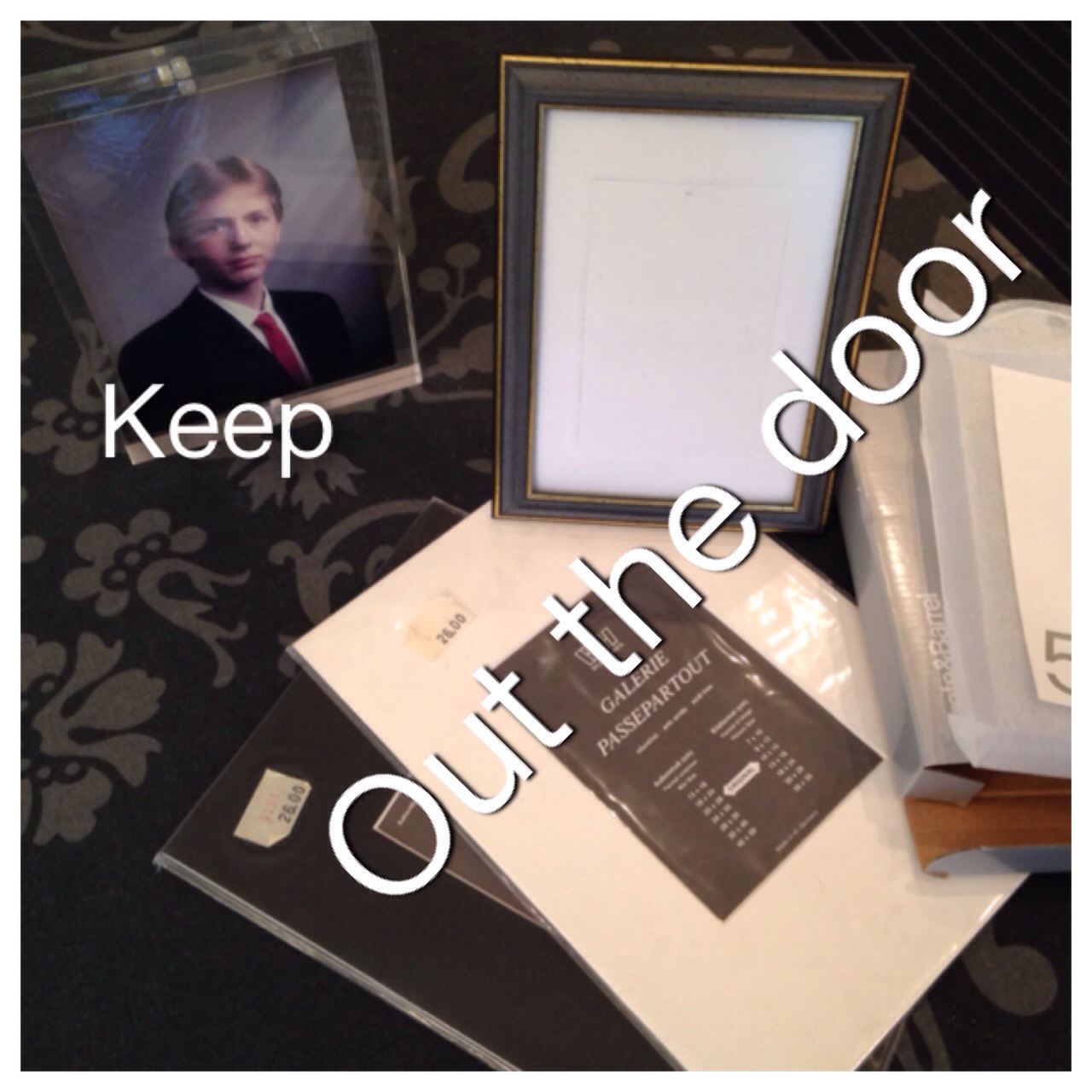
For some reason I kept a couple of the frame mats, just in case 😉 But so far I have not ever thought about using them, and today they are going out the door.

I bought a couple of clear acrylic frames 3-4 years ago, and they have been sitting in one of my drawers ever since: And in the spirit of getting rid of my frame mats, I decided to swap one of my older frames for one of the acrylic ones. That means one out, and one less in the drawer 🙂 So now the picture of a much younger brother of mine, is residing in clear acrylic, as you can see below – I sure hope he don’t mind being flaunted all over the internet, but he was kinda cute 😉

2014-02-16 13.11.53

Backup of data – is one enough?

One computer out-the-door 🙂 Remember I told you my weekend task was to clear out a computer, well it’s done and tomorrow morning it’s leaving the house with me.

I’ve removed all the software I installed, and all the documents I created. I used it for a video project of mine, and it turned out there was about 66 GB of data, to transfer. Since my new computer only have a 128 GB solid state disk, there wasn’t really room for all my video projects. So to make sure I have “redundancy”, I stored the files from the borrowed computer on two external hard-drives.

Why two? Well, I want to make sure, that if something happens with one of the hard-drives, I have one more chance 😉 I know this sounds excessive, but having been around computers for a few years, I know that hard-drives can go “belly up”. There are, after all, moving parts in most of them.

A lot of people, do save backups of pictures, video and documents, on a CD/DVD, memory stick or an external hard-drive. And this is a good thing to do, you never know what’s going to happen to you computer, and having a backup is great.

But if you have that picture, video or document you don’t want to loose, on only one device, I would recommend that you consider making one more copy, on a separate unit. Wouldn’t you just hate, if something happened to your device, and you no longer could access that priceless picture of a family member, that are no longer here, or that video, of your child walking for the first time…

I know I would!

What about you – do you have backup of your “would-hate-to-loose” documents?

My item out the door:
2014-02-09 11.35.58