Email declutter challenge

I believe I need an email declutter challenge.
I’m completely into email overload, especially at work. I have lost all control, and looking at the 1211 unread email is just about to drive me nuts (yes, even more so, than I already am 😉 ) Talk about stress factor.

Enough is enough, I’m going to give myself an email declutter challenge for 2014. I’ll be deleting and archiving as best as I can. I know I can’t delete everything since I need to keep some for work, but hopefully I’ll be able to archive most of those, to our digital storage, so that my personal mailbox at the office no longer overflows. And I definitely have some old and “mouldy” emails I should be able to loose with not too much elbow grease 😉

As I write this I have 1,45 GB worth of emails in my work mailbox, amounting to 19592 individual emails! What on earth!!!!

My goal for this year – reduce to less than 500 MB worth of emails – how many individual are this? I don’t have a clue! Guess we’ll find out as I go along. I’m hoping that brings be down to less than 2-3000. That’s loosing 17 000 emails.

How? – Using the Inbox Zero concept.
I will be implementing the Inbox Zero system by Merlin Mann. What is the Inbox Zero, you might ask? It’s a simple but great concept of how to handle emails that comes your way. In short it is an system to help you take your email box from overstuffed (like mine) to zero – and then keep it that way. The system cover the skills, tools and attitude that helps you to accomplish this.

I just about “kissed the ground” when I came across this system a while ago. I had ever intention to start my 2014, implementing this system, but as soon as I walked into my office that first day after new year’s, all “hell” broke loose, and I have not found the time to actually sit down to do this yet. But tomorrow a new day is born – and it’s finally happening 😉

This concept might, or might not, be for you – but regardless if you have a small or a HUGE mailbox, I strongly recommend you reading about it anyway, even if you believe you have everything under control 😉 There might be an idea or two that could help you in your everyday email life!

I could do a quick write up of the concept, but I think I’d rather leave you in Merlin Mann’s capable hands on Inbox Zero instead.

My plan
As part of implementing this system, I need to de-stuff my horrible 19592 mail mailbox. So through 2014 I’ll give myself a couple of 30 days challenges to accomplish this. I’m starting tomorrow, and my goal for the first 30 days is no less than 7000 emails. “Starting a Tuesday in the middle of the month? Why not start the first of the month or at least in the beginning of the week?” You might ask. Well, why not? There is no more perfect day to start, than NOW 😉

Since the intention is to get rid of old emails all together, any new emails will not count against the 7000. By the time my 30 days are over I have to be down to no more than 12592 email left in my mailbox. (Oh my!! That’s a whole lot of deleting and archiving…)

Keeping track
For the fun of it I made myself a template, that I printed out. It is just a simple sheet, that you can easily make yourself, or you can print mine 🙂

Why don’t you join me? I’m sure you have one or two, to many…

Lets get started!!

Email declutter challenge – downloadable PDF

Email declutter challenge picture 1

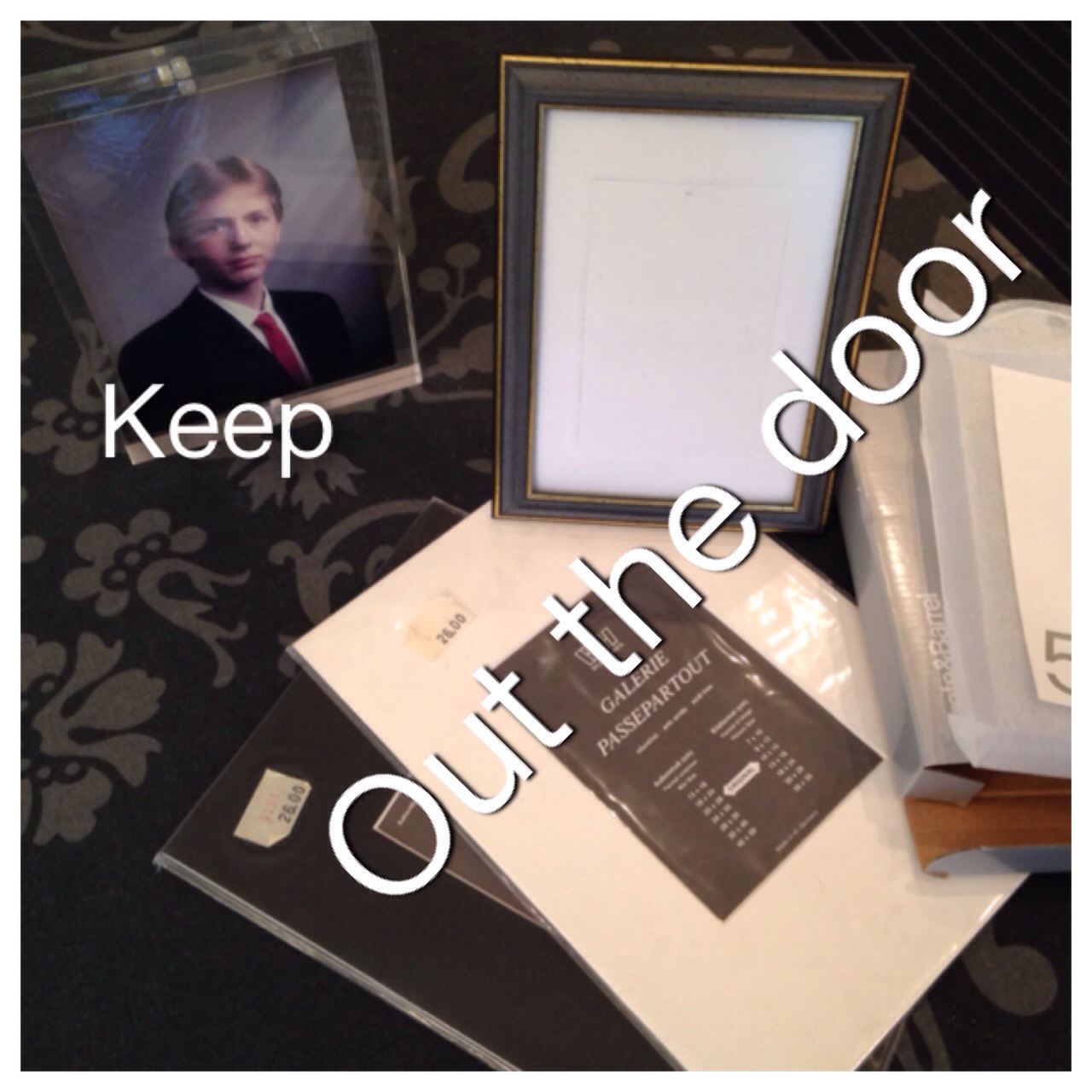
I got framed…

A long time ago, I used to have a lot of inherited photographs, of family members. They came in all sorts of shapes and forms, and at that time I bought a few frame mats, just to have some of the pictures look a little better.

After inheriting even more photos, I suddenly got overwhelmed. I swear I had around 35 – 40 frames stacked around in my house, and not one of them was alike.  All these different looking frames made the place look really cluttered, since I live in a much smaller place than I do today.

And then it hit me – why don’t I take all the photos, and put them all into a album instead? And that’s exactly what I did. I removed all the photos from the frames. It was a great idea, because when removing them I found even more photos tucked behind I never knew about (told you the photos was inherited right?). I had purchased a nice album with black sheets (I think older photos, look better on black), and I added them all to the album.

I tossed all the unused frames – good riddance 🙂

I still left out a few photos in frames, but only kept the ones I cared most about.

For some reason I kept a couple of the frame mats, just in case 😉 But so far I have not ever thought about using them, and today they are going out the door.

I bought a couple of clear acrylic frames 3-4 years ago, and they have been sitting in one of my drawers ever since: And in the spirit of getting rid of my frame mats, I decided to swap one of my older frames for one of the acrylic ones. That means one out, and one less in the drawer 🙂 So now the picture of a much younger brother of mine, is residing in clear acrylic, as you can see below – I sure hope he don’t mind being flaunted all over the internet, but he was kinda cute 😉

2014-02-16 13.11.53

Buying in bulk – when is it a good idea!

Happy Valentines everyone. I hope you are having a wonderful day 🙂

Remember I mentioned in “Buying necessities – how am I doing”, that I had bought some extras of items that was on sale. It made me think about, buying in bulk. And when does it make sense.

I think buying in bulk can be a good idea for certain items. It also can save some money during a year, if one goes about it right.

I believe there are a few rules one need to follow for this to make sense.

Free storage space
You need to have room for the item you are stocking up on. And I’m not talking about cramming stuff into the house, but a dedicated space, so that it don’t clutter up you space. We are on a declutter journey remember 🙂  I have a smallish house, so I have a specific place set aside.

Buy what you use
You should only buy items you actually use and need. None of this; well it’s cheap, I might need it sometime or I used to use this and I might start using it again. You should only buy items you use on a regular basis.

Pick your number
Don’t buy more than you can use within a certain time frame – pick your number of items or months for when it’s should be eaten up. As an example, I love Heinz baked beans, and they are really expensive in Norway, but sometimes they will sell for 1/3 of the regular price, and I jump on it. But I’ll never buy more than about 8-10 off them. The reason for this is that I don’t have a lot of space to store them, and I know if I buy to many I might not get them eaten before they expire.

Should save you money
Buying the items should save you some money. Either because they are on sale, or they are cheaper in bigger packs. If it cost the same as any other day, there is no reason to use precious space in your house, when you can buy it any time.

Long shelf time
It should be items that have a long shelf time so they will keep. Always check the dates on the items, don’t assume they have a long shelf life. Some items might not last as long as you think, an example of this is brown rice, certain spices, creams and make-up.

Now that we have got some “rules” out of the way.

What kind of items could this work for?

Dry goods  – bags of soups, sauces, flour, sugar, beans, rice…
Canned goods – tomatoes, peas, purée, tuna, corn, ham…
Goods in glass/plastic containers – jams, honey, oils…
Boxed goods – cereals, pastas..
Spices – NB! check dates, some spices have a surprisingly short shelf life
Sodas – check dates though, not all sodas will keep forever
Alcohol – for those of us that enjoys a glass of wine now and then 😉
Toiletries – toothpaste, shampoos, soaps, creams, make-up (NB! some beauty products have shorter shelf life, check!)
Toothbrush – huh? Did you know you should swap every 3 month? Most people wait until it falls apart…
“Tissues”  – toilet paper, paper towels, diaper, feminine items, Kleenex…
Vitamins – check dates, not all last as long as you would think
Detergents – for dishwasher/laundry, and other cleaning products
Office/school supplies – paper, pens, tape, glue, wrapping paper…

Fresh goods for freezing – In addition to long shelf life items, I would add fresh goods if you can freeze them. Make sure you don’t get more than you will eat in a short time, to avoid having to toss food, because it got to old.

Personally I stock up a few items in pretty much all the categories mentioned above. And I only stock up when they are on sale, mostly because I don’t have the space to buy the bigger “bulk” versions they have in the stores here (I just don’t have storage space for 98 toilet rolls 😉 and stuff)

I’m sure there are several more items and groups of items that you can think off, this was just a short list from me.

What do you stock up on? Please share you good ideas in comments below.

Buying necessities – how am I doing?

Earlier this year I wrote this post “I want, I want – I want it now” about moving away from consumerism. In it I told you that this year I would make an effort at only buying necessities. We are now half way into February, and I thought it only fair to let you know how I’m doing 😉

I have done all right, so far. I’ve been decent at using stuff I already have in the house. Better to use up, before buying.

So, what have I spent my money on:
General items – only food and medicines.
Replacement items – one so far, ref. my post One in – two out – and a happier patio
Flowers and plants – a couple cheap orchids, only 8,5 dollars for the two – remember this is part of my allowance 😉
Books – none, absolutely none, then again the year is still young!
Eating out – remember I told you the goal was to cut it down to at least half? Well I’m proud to say that I’m still on track.

A note on the eating out topic. I have a friend that I normally go out and eat Saturday and Sunday dinners with, every weekend. We have changed this up a little, and we now make at least one of the weekend dinner, in house. We switch up who makes what, and so far we are definitely saving a bit of money on this.

We are also using this as an opportunity to empty our freezers, of all sorts of stuff that have been hanging around in it 😉 We are all guilty of putting food into the freezer and forgetting about it, until it’s to old to use any more, and then we have to throw it away. That is such a waste of resources and money. Throwing a little “pot-luck” dinner now and then, to empty the freezer before food gets to old, is a great thing. Why not throw one, were you gather friends and everyone bring a little something to the table, wouldn’t that be fun?

With the exception of a pretty hefty unexpected medical bill in January (that blew my budget out the window). Being aware and in a state of only buying necessities, I have definitely used less money, on stuff, than I normally would have by now.

I’ve even noticed I have spent less money in the grocery store. I haven’t bought more than I absolutely have had to, with a few exception. There have been some items, like toilet paper, certain foods (dry good or freeze stuff), detergent etc, that have been on sales, up to 40%, and these I have bought extras off. These are items I use all the time, and stocking up a little, will save me some money down the line. As long as I have the space, and I don’t go overboard and buy more than I can use within a few months, I think this is a thrifty thing to do.

As I move along this path, I’m writing down everything I spend, in a little notebook. It’s going to be interesting to keep track of what I actually spend my money on. And what I end up with, having spent, at the end of the year.

Backup of data – is one enough?

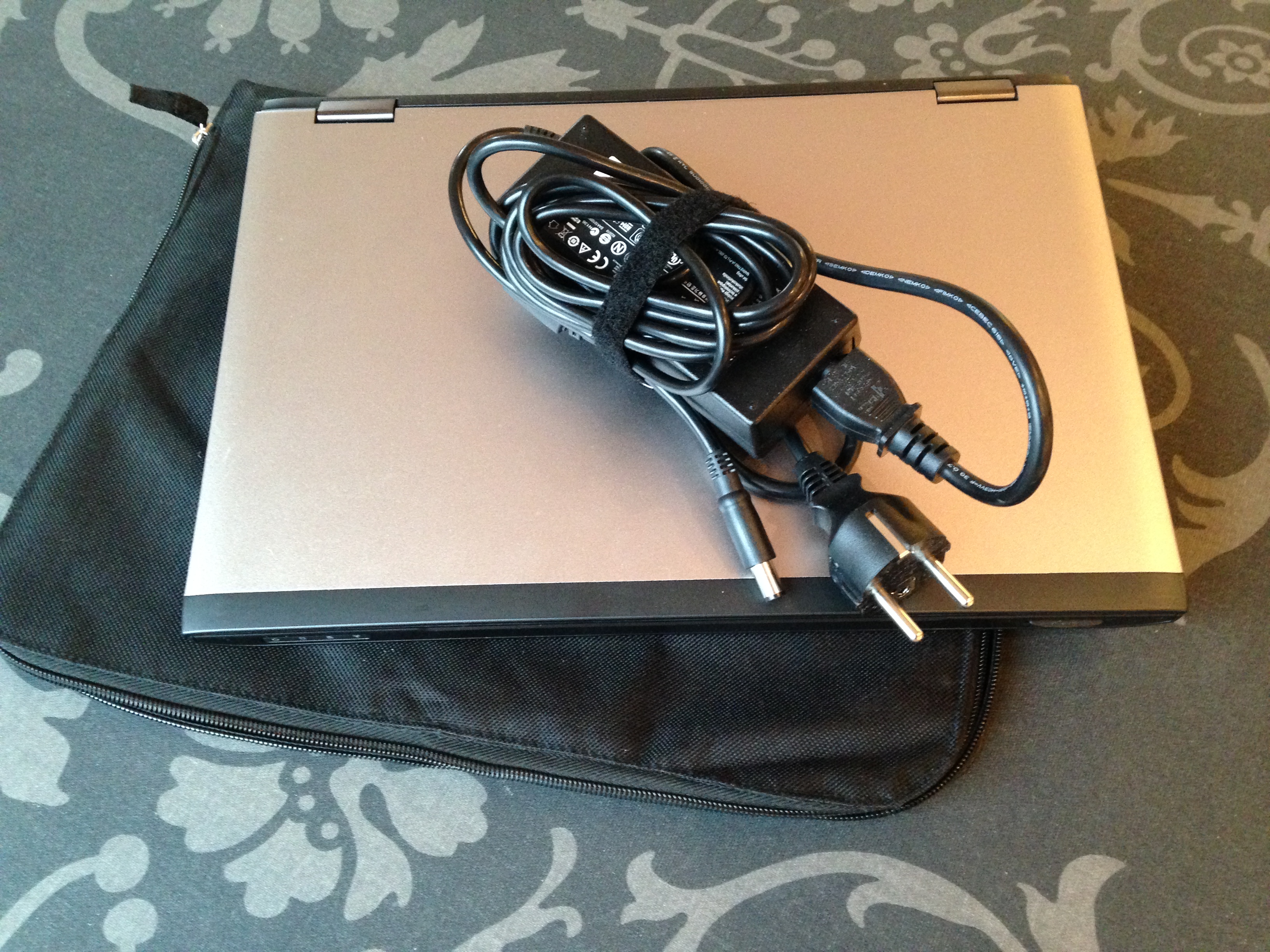
One computer out-the-door 🙂 Remember I told you my weekend task was to clear out a computer, well it’s done and tomorrow morning it’s leaving the house with me.

I’ve removed all the software I installed, and all the documents I created. I used it for a video project of mine, and it turned out there was about 66 GB of data, to transfer. Since my new computer only have a 128 GB solid state disk, there wasn’t really room for all my video projects. So to make sure I have “redundancy”, I stored the files from the borrowed computer on two external hard-drives.

Why two? Well, I want to make sure, that if something happens with one of the hard-drives, I have one more chance 😉 I know this sounds excessive, but having been around computers for a few years, I know that hard-drives can go “belly up”. There are, after all, moving parts in most of them.

A lot of people, do save backups of pictures, video and documents, on a CD/DVD, memory stick or an external hard-drive. And this is a good thing to do, you never know what’s going to happen to you computer, and having a backup is great.

But if you have that picture, video or document you don’t want to loose, on only one device, I would recommend that you consider making one more copy, on a separate unit. Wouldn’t you just hate, if something happened to your device, and you no longer could access that priceless picture of a family member, that are no longer here, or that video, of your child walking for the first time…

I know I would!

What about you – do you have backup of your “would-hate-to-loose” documents?

My item out the door:
2014-02-09 11.35.58

Taking a hike…

I’m doing pretty good on my weekend task of getting rid of one laptop, but since there is such a thing as spending too much time in front of the computer, I decided a few minutes of fresh air might be a good idea.

Needing to grab a jacked to go outside, I looked at the mess in the outerwear closet.. and decided it was time to clean it up a little.

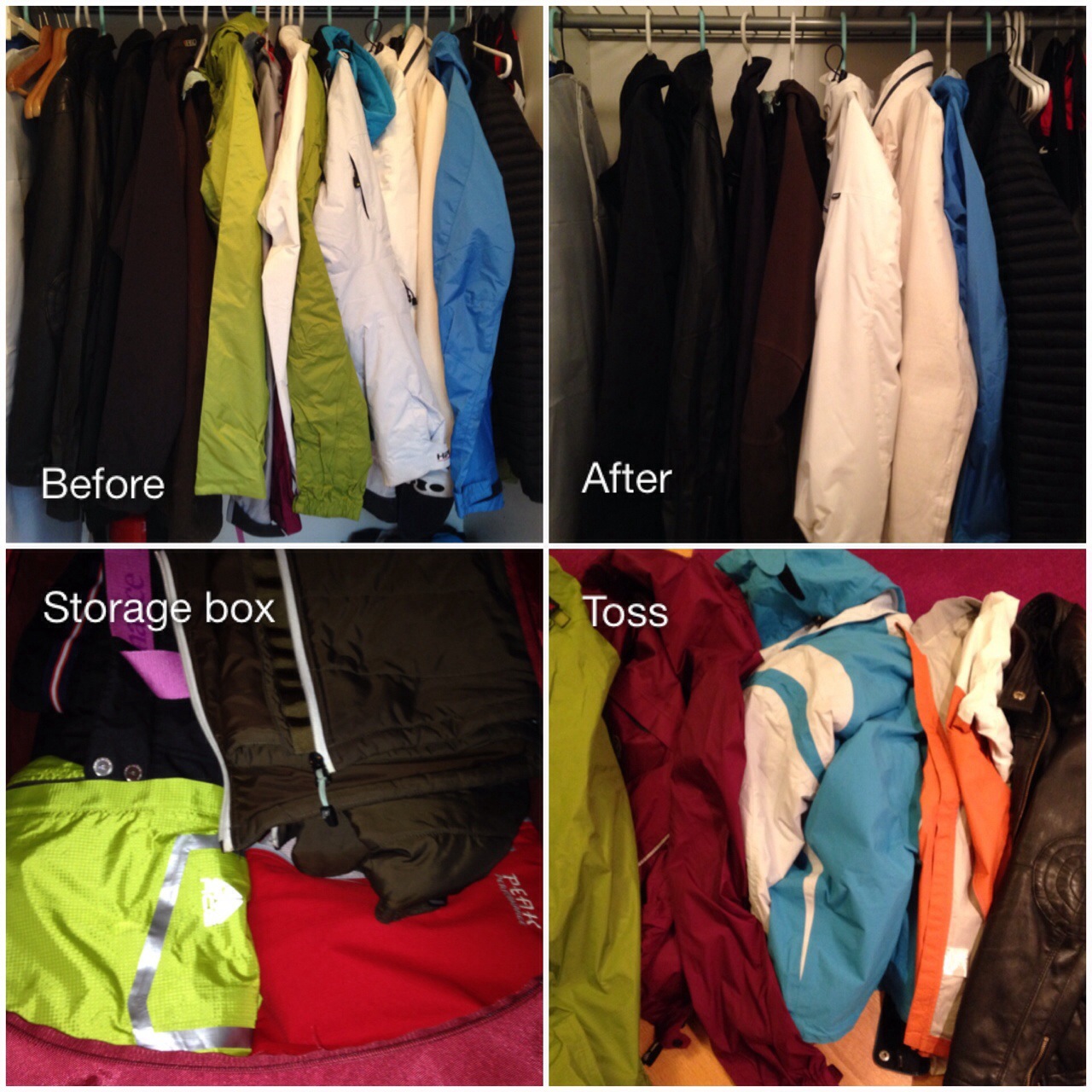
I pulled all my hanging stuff out and sorted it into my four piles: keep, not sure, for guests and out-the-door.

How do I decide what to keep or get rid of? And what do I mean with a guest pile?

Just to explain how I think, I’ll go into the details of my outerwear below:

I have a few extra jackets that I don’t really use, that I have kept. I have found that an extra jacket or two comes in handy when I get guest from other places and they show up unprepared for the weather or the activities we are doing. I’ve decided I’ll only keep a couple, as it seem like most of my friends favour the same jackets 😉 And these will go into a storage box for when they are needed.

Having sorted the guests jackets, I decided to tackle my “own” stuff:

My ski pants (the only ones I have) are going into the storage box until I’m going skiing.

I have a couple warm ski jackets. One is really bulky, and last year I got one that is just as warm, but less bulky. I don’t’ see myself using the bulky, one regardless of how cold it gets this winter, so I’ll be loosing it today.

In December I got two new jackets, a thin down one, for chilly dry days, and a thin rain jacket. These two I can either use as single jackets or double up (great combo). I’ll be keeping them. But I believe my new thin down one, might replace a mid layer jacket I have used for years. The mid layer one I will put in the storage box where I keep my guest stuff and ski pants. And if it don’t get used during 2014, by either me or my guests, it will have to go next winter.

Oh yes, and I have two leather jackets. One I haven’t used in the last 6 years.. so the odds of me actually using it any time soon, is like…. not going to happen. The other one is fairly new, but I haven’t really used it since I got it about a year ago. So what does a girl do? Well, the one I haven’t used, in like forever, is out-the-door for sure. The other one I’m keeping, with the intention to use it this year. If it don’t get used before next winter sets in, you might find a post about it later 😉

Then there is the bicycle jackets that I got in US, a few years back. Have I used them since I got back to Norway? Nope… Off course this could be due to me not really biking any more. But should I start again, I can use either ones of the jackets I’ve keep for guests.

So what about the rest, well, they have been used recently, so they are keepers. Should I find that I don’t use them during the seasons their are meant for in 2014, then I suspect you’ll hear about them sometime at the end of 2014 😉

So what’s the tally?

8 keep – this includes everything from warm winter jackets to thin summer jackets
2 “allowance” – the leather and mid layer one, that most likely will go out the door later this year
2 guest jackets – if they don’t get used this year, I will evaluate if there is any value in keeping them at all, any more
and 5 toss 

2014-02-08 18.04.13

I’ve got my weekend cut out for me.

You know how sometimes to get rid of one item, you need to do a lot off work first. Today’s item falls into that category.

I got a new laptop computer for Christmas. My old one do not function properly any more. In addition since I’m the designated computer help for my mum and step-mum, I need one that works. So what does this have to do with decluttering you might ask.

If any of you have ever changed over from one computer to another, you probably know there is some work involved. Like transferring stuff between the computers. That takes time. Well today I’m going to throw one more computer into this mix.

In addition to my old worn out one, I’ve borrowed a computer for one specific task that needed to be done a while ago. And that’s the computer I will “clean” out of my house during this weekend. My old one I will have to get back to after I’m done with this one 😉

This weekends’s task is – transfer my installed SW and documents from the borrowed computer to my new one. Clean up the borrowed one and get it out of the house. I know, it doesn’t sound much.. but I can promise you, it’s a bit of work, especially since it’s also two different operating systems and I might have to change some stuff around to make everything works as intended.

How do I go about this? 

I do a little preparation first:

  • I move all documents I want to keep so they are located in under the “My documents” folder structure
  • I make sure all my pictures, videos, music are located in their respective “My Pictures/Music/Video” folders. You’ll find all these under “Windows explorer/Desktop/Libraries….”
  • I put all downloaded software (SW) files into my “Downloads” folder
  • I go through the Start/All programs overview and write down the SW programs I use that I need, to make sure I install these on the new computer
  • If I use outlook or any other mail program that downloads the mails to the computer, I make sure I have a copy of the e-mail file, and the address book, so I can import it onto the new one
  • I make a copy of my “Favorites” folder, so I don’t have to recreate this later
  • When I have everything sorted and I’m sure I have everything I need, I use an external hard-drive as my transferring media. I use this type of transfer media because I think it’s easy. It gives me a copy of everything just in case. And it means I can choose what to install on the new one right now, and I still have everything on a drive, should I need it later.
  • When I’ve gotten a copy of everything I want to keep, on my external hard-drive, then I’m ready and

I start the work on my new one. 

  • Depending on how much space is available on my new computer, I transfer the most important stuff from the external hard-drive I just copied everything on to. I put the copied files into a similar folder structure to where I saved them (Documents/Pictures/Music etc.)
  • I install the programs I need, hopefully I can use the SW I already have, if not I try finding updates online.
  • After installation, I activate whatever needs to be activated, so that I can use the programs I’ve installed.
  • I add the old “Favorites” to the new “Favorites” folder
  • I set up my new email program and import my old emails and address book
  • Then, if there is any bits an pieces left that needs sorting. I’ll do this

And then I’m ready to go…. I hope!

As you can see.. there is a few things to do. So, I better get started 😉

Wish me luck will you…

January tally

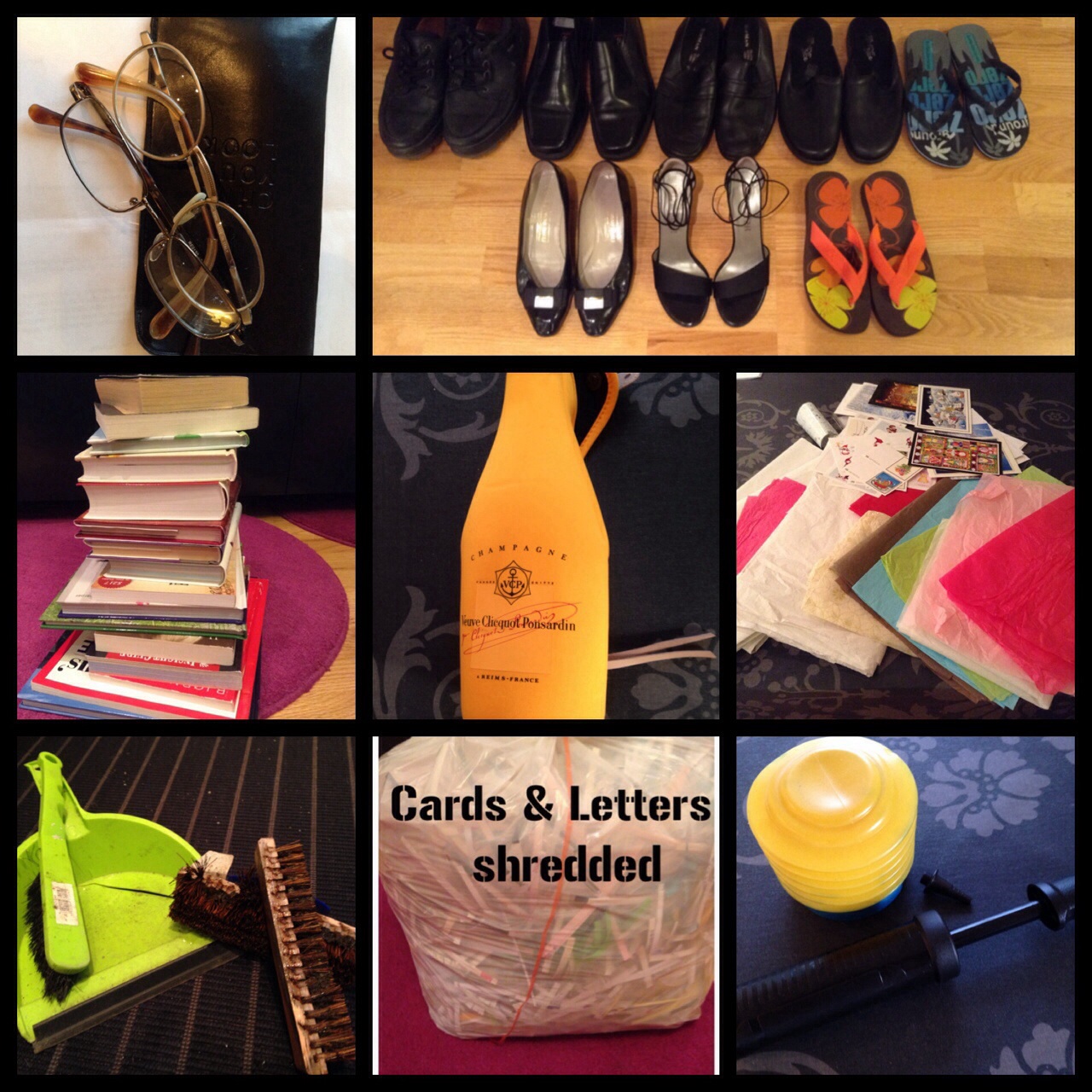
I’ve been at it a month, my little declutter challenge 🙂 So how much have gone out the door?  Let’s see:

image image

Below is an overview. You will see that some I count as one or two item, and some I’ll count as individual items.

JANUARY’s TALLY = 63  Let’s see if I can’t do better, or at least as well in February 😉

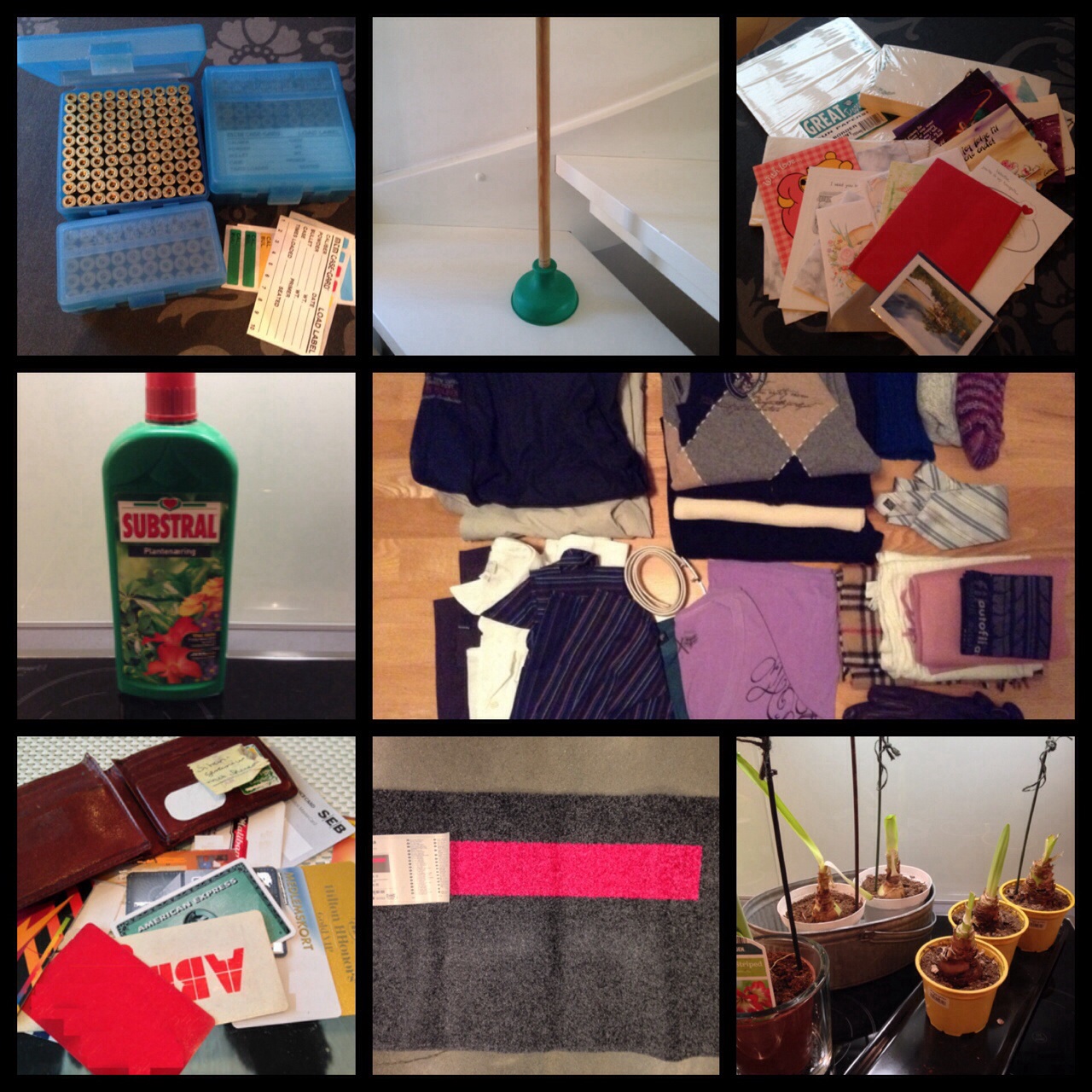
  • 2 pairs of eye glasses
  • 8 pairs of shoes
  • 250 bullet casings and 3 casing boxes – count as 2 (casings and boxes)
  • 1 plunger
  • 1 set of writing paper/envelopes and 27 cards – count as 2 (paper set and cards)
  • 17 books
  • 1 champagne cover
  • bunch of Christmas letters and cards – count as 1
  • 1 fertilizer bottle
  • 1 dustpan set
  • 1 terrace brush
  • 2 pumps
  • 1 doormat
  • 6 amaryllis bulbs/plants – count as 1
  • 1 wallet and 19 cards – count as 2 (wallet and cards)
  • 2 outdoor jackets
  • 4 sweaters
  • 3 pairs of wool socks
  • 1 tie
  • 3 scarfs
  • 1 pair of gloves
  • 1 buff
  • 2 t-shirts
  • 3 shirts
  • 1 belt

One small positive thought…

One small - ordtak

I’ve been battling a bit of a headache the last few days and it’s not exactly been doing any wonders for my mood 😉 I was sorting through some documents at my office and I came across this quote, and it hit me right in the face, and completely shifted my attitude 🙂

You know the saying “starting the day off on the right foot”. I think “starting your day with the right thought“, is the essences off that saying. One small thought, either positive or negative, has the potential to influence your whole day, or even days.

Your thoughts can colour your day. Now off course things happen and we can’t always control everything that happens around us, but what we can control is how we react to what happens.

Your thoughts and mood can influence how you are with your family, how well you perform at work and how you relate to friends, colleagues and strangers. Fortunately we have the power to to choose. You can choose positive thoughts and gratefulness, or you can choose negative thoughts and pessimism.

I choose to start on a positive note. How do you choose to start your day?

It takes 21….

It seems like I I’ve gotten into the habit of writing a little “something something” every day, and today is no exception 🙂

Even though I told you a few days ago that I might do bigger declutter bulks, it doesn’t mean I still won’t be chipping away at it. Getting rid of a little something every day is a good routine to get into.

There is an old saying “it takes 21 days to make or break a habit”. Now I’m not a 100% sure on the 21 day rule working for everything. I think it’s very dependent on what habits you are trying to change. Most likely your better off with 30+ days for actually making a habit stick.

But in this instance the 21 day rule might actually apply, this being my 21st day of decluttering (yes I know it’s January 26th, but I have had a few non declutter posts), and because of that, I will declutter 21 items today 🙂

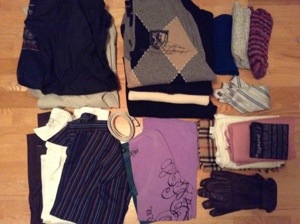
You remember I told you about my fathers stuff? Last time it was shoes, and today it’s some of his clothes. My brother decided on only keeping a few items, and as much as I like some of my dad’s clothes. They neither fit, nor do they look particularly womanly on me 😉

The clothes from dad, that I’m ready to part with today, doesn’t quite make up 21 items, so I’ll throw in a few of my own.

That’s:
2 outdoor jackets
4 sweaters
3 par of knitted wool socks
I tie
3 scarfs
1 pair of gloves
1 buff
2 t-shirts
3 shirts
and 1 belt

So what do you think of that! Day 21 – 21 Items. I’m kinda impressed 😉

20140123-222631.jpg