Bookmarks

I have a serious bookmark issue –

Having had pc’s both at home and at work, like forever, I have collected a few bookmarks to websites over the years. Throw a few smartphones and iPads to this mix, and you can see my problem 😉

How bad can it be, you might ask?

Between all my devices I have somewhere in the vicinity of 2500 bookmarks!!!

I found that the work pc alone have close to 1000 – whoa!!!

My new personal computer have around 300, and I have backup from old ones, with close to another 1000 – 949 to be exact.

Android phones/iPhone/iPad? Don’t have a clue – I can’t even think, to have to, manually count them – but it’s looking like at least 200+

Adding this to the email challenge I’ve started, it looks like I’m getting into a bit of digital clean ups these days.

So what did I do? Well – I’m proud to say, I got around 1900 of them deleted 🙂

A lighter china cabinet!

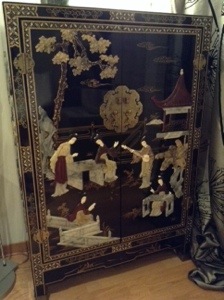
I have this beautiful oriental cabinet, sitting in the middle of my Scandinavian style furniture.

Of all things in this wold to use it for, I keep a lot of catalogues and brochures, papers, manuals and bills in it. It’s also the place I put all papers I keep through the year, before they get archived away, come tax time 🙂 I might also put some of my magazine cut outs in here as well, oh yes, and the town-house community correspondence (I’m on the board.. actually thinking about it, I think, I am the board 😉 )

So you see, my little cabinet, is in a sense – my office storage.

Today I decided to go through some of the brochures, cut outs and manuals. The regular paper cleanup, is a March/April job, while preparing for tax time.

The catch of the day?
16 cut out sheets from magazines
2 user manuals for stuff I no longer own
7 magazines
27 catalogues and brochures

20140220-191945.jpg

My oriental cabinet – what you think?
20140220-192110.jpg

Email declutter challenge

I believe I need an email declutter challenge.
I’m completely into email overload, especially at work. I have lost all control, and looking at the 1211 unread email is just about to drive me nuts (yes, even more so, than I already am 😉 ) Talk about stress factor.

Enough is enough, I’m going to give myself an email declutter challenge for 2014. I’ll be deleting and archiving as best as I can. I know I can’t delete everything since I need to keep some for work, but hopefully I’ll be able to archive most of those, to our digital storage, so that my personal mailbox at the office no longer overflows. And I definitely have some old and “mouldy” emails I should be able to loose with not too much elbow grease 😉

As I write this I have 1,45 GB worth of emails in my work mailbox, amounting to 19592 individual emails! What on earth!!!!

My goal for this year – reduce to less than 500 MB worth of emails – how many individual are this? I don’t have a clue! Guess we’ll find out as I go along. I’m hoping that brings be down to less than 2-3000. That’s loosing 17 000 emails.

How? – Using the Inbox Zero concept.
I will be implementing the Inbox Zero system by Merlin Mann. What is the Inbox Zero, you might ask? It’s a simple but great concept of how to handle emails that comes your way. In short it is an system to help you take your email box from overstuffed (like mine) to zero – and then keep it that way. The system cover the skills, tools and attitude that helps you to accomplish this.

I just about “kissed the ground” when I came across this system a while ago. I had ever intention to start my 2014, implementing this system, but as soon as I walked into my office that first day after new year’s, all “hell” broke loose, and I have not found the time to actually sit down to do this yet. But tomorrow a new day is born – and it’s finally happening 😉

This concept might, or might not, be for you – but regardless if you have a small or a HUGE mailbox, I strongly recommend you reading about it anyway, even if you believe you have everything under control 😉 There might be an idea or two that could help you in your everyday email life!

I could do a quick write up of the concept, but I think I’d rather leave you in Merlin Mann’s capable hands on Inbox Zero instead.

My plan
As part of implementing this system, I need to de-stuff my horrible 19592 mail mailbox. So through 2014 I’ll give myself a couple of 30 days challenges to accomplish this. I’m starting tomorrow, and my goal for the first 30 days is no less than 7000 emails. “Starting a Tuesday in the middle of the month? Why not start the first of the month or at least in the beginning of the week?” You might ask. Well, why not? There is no more perfect day to start, than NOW 😉

Since the intention is to get rid of old emails all together, any new emails will not count against the 7000. By the time my 30 days are over I have to be down to no more than 12592 email left in my mailbox. (Oh my!! That’s a whole lot of deleting and archiving…)

Keeping track
For the fun of it I made myself a template, that I printed out. It is just a simple sheet, that you can easily make yourself, or you can print mine 🙂

Why don’t you join me? I’m sure you have one or two, to many…

Lets get started!!

Email declutter challenge – downloadable PDF

Email declutter challenge picture 1

Backup of data – is one enough?

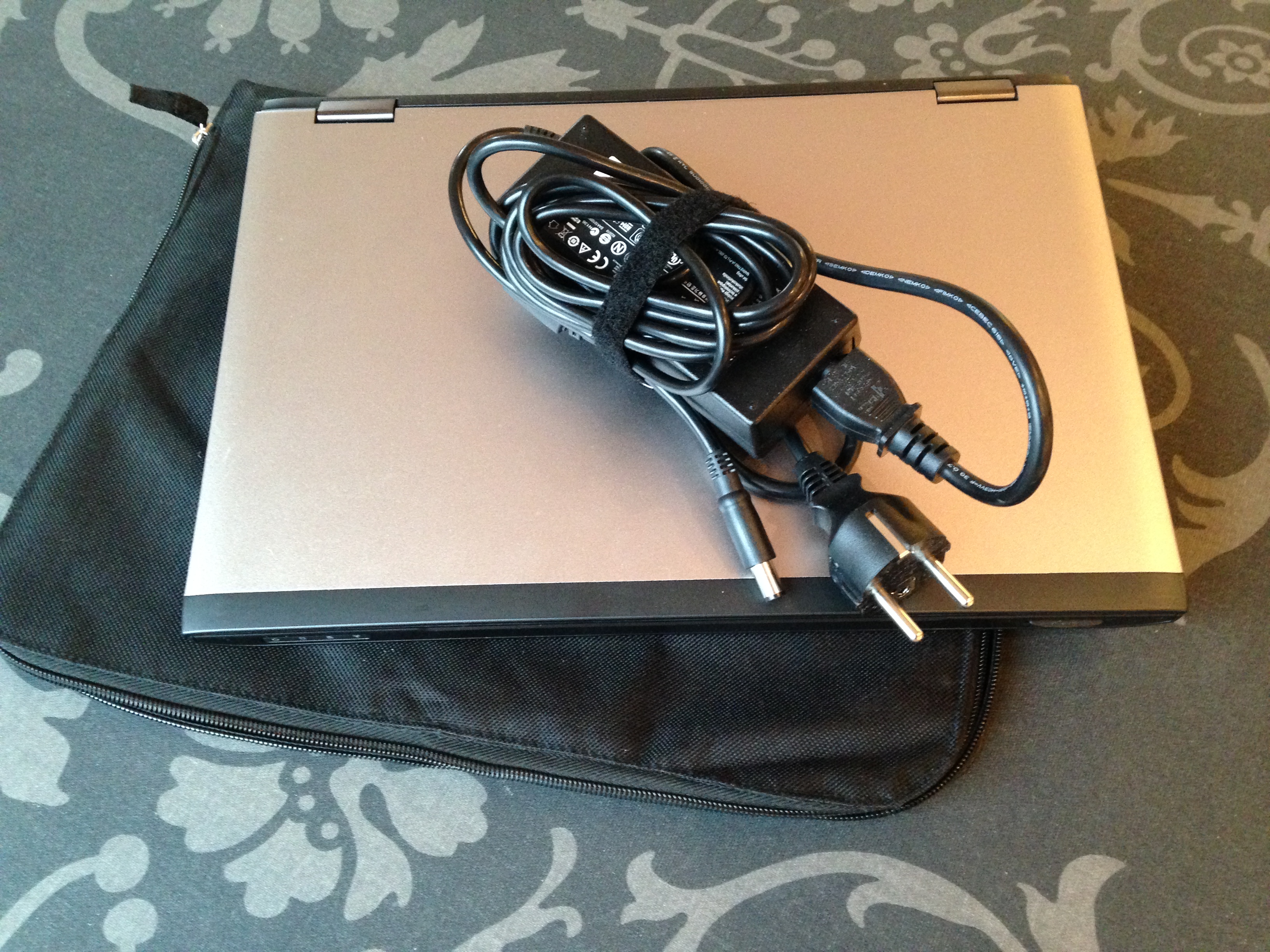
One computer out-the-door 🙂 Remember I told you my weekend task was to clear out a computer, well it’s done and tomorrow morning it’s leaving the house with me.

I’ve removed all the software I installed, and all the documents I created. I used it for a video project of mine, and it turned out there was about 66 GB of data, to transfer. Since my new computer only have a 128 GB solid state disk, there wasn’t really room for all my video projects. So to make sure I have “redundancy”, I stored the files from the borrowed computer on two external hard-drives.

Why two? Well, I want to make sure, that if something happens with one of the hard-drives, I have one more chance 😉 I know this sounds excessive, but having been around computers for a few years, I know that hard-drives can go “belly up”. There are, after all, moving parts in most of them.

A lot of people, do save backups of pictures, video and documents, on a CD/DVD, memory stick or an external hard-drive. And this is a good thing to do, you never know what’s going to happen to you computer, and having a backup is great.

But if you have that picture, video or document you don’t want to loose, on only one device, I would recommend that you consider making one more copy, on a separate unit. Wouldn’t you just hate, if something happened to your device, and you no longer could access that priceless picture of a family member, that are no longer here, or that video, of your child walking for the first time…

I know I would!

What about you – do you have backup of your “would-hate-to-loose” documents?

My item out the door:
2014-02-09 11.35.58

Taking a hike…

I’m doing pretty good on my weekend task of getting rid of one laptop, but since there is such a thing as spending too much time in front of the computer, I decided a few minutes of fresh air might be a good idea.

Needing to grab a jacked to go outside, I looked at the mess in the outerwear closet.. and decided it was time to clean it up a little.

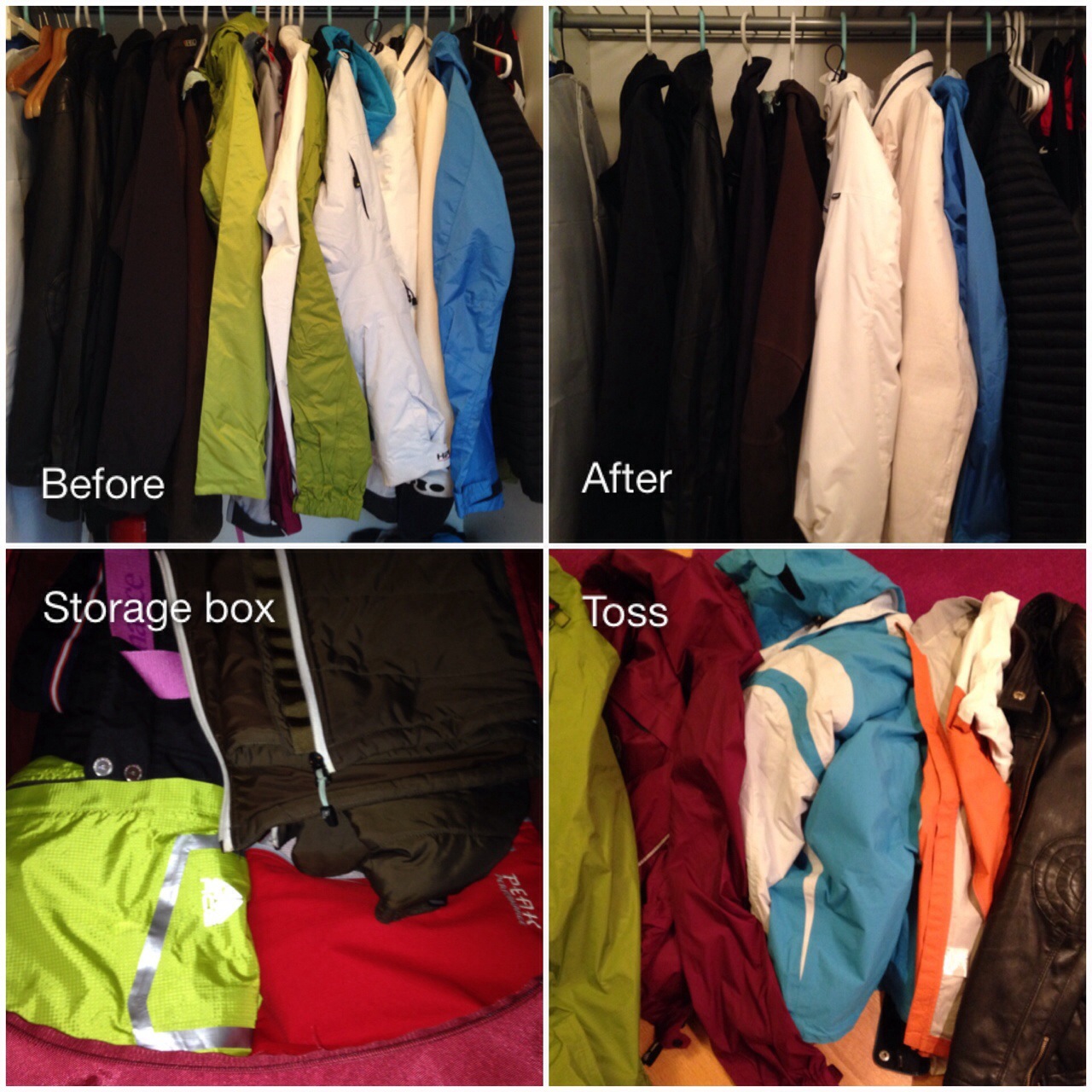
I pulled all my hanging stuff out and sorted it into my four piles: keep, not sure, for guests and out-the-door.

How do I decide what to keep or get rid of? And what do I mean with a guest pile?

Just to explain how I think, I’ll go into the details of my outerwear below:

I have a few extra jackets that I don’t really use, that I have kept. I have found that an extra jacket or two comes in handy when I get guest from other places and they show up unprepared for the weather or the activities we are doing. I’ve decided I’ll only keep a couple, as it seem like most of my friends favour the same jackets 😉 And these will go into a storage box for when they are needed.

Having sorted the guests jackets, I decided to tackle my “own” stuff:

My ski pants (the only ones I have) are going into the storage box until I’m going skiing.

I have a couple warm ski jackets. One is really bulky, and last year I got one that is just as warm, but less bulky. I don’t’ see myself using the bulky, one regardless of how cold it gets this winter, so I’ll be loosing it today.

In December I got two new jackets, a thin down one, for chilly dry days, and a thin rain jacket. These two I can either use as single jackets or double up (great combo). I’ll be keeping them. But I believe my new thin down one, might replace a mid layer jacket I have used for years. The mid layer one I will put in the storage box where I keep my guest stuff and ski pants. And if it don’t get used during 2014, by either me or my guests, it will have to go next winter.

Oh yes, and I have two leather jackets. One I haven’t used in the last 6 years.. so the odds of me actually using it any time soon, is like…. not going to happen. The other one is fairly new, but I haven’t really used it since I got it about a year ago. So what does a girl do? Well, the one I haven’t used, in like forever, is out-the-door for sure. The other one I’m keeping, with the intention to use it this year. If it don’t get used before next winter sets in, you might find a post about it later 😉

Then there is the bicycle jackets that I got in US, a few years back. Have I used them since I got back to Norway? Nope… Off course this could be due to me not really biking any more. But should I start again, I can use either ones of the jackets I’ve keep for guests.

So what about the rest, well, they have been used recently, so they are keepers. Should I find that I don’t use them during the seasons their are meant for in 2014, then I suspect you’ll hear about them sometime at the end of 2014 😉

So what’s the tally?

8 keep – this includes everything from warm winter jackets to thin summer jackets
2 “allowance” – the leather and mid layer one, that most likely will go out the door later this year
2 guest jackets – if they don’t get used this year, I will evaluate if there is any value in keeping them at all, any more
and 5 toss 

2014-02-08 18.04.13

I’ve got my weekend cut out for me.

You know how sometimes to get rid of one item, you need to do a lot off work first. Today’s item falls into that category.

I got a new laptop computer for Christmas. My old one do not function properly any more. In addition since I’m the designated computer help for my mum and step-mum, I need one that works. So what does this have to do with decluttering you might ask.

If any of you have ever changed over from one computer to another, you probably know there is some work involved. Like transferring stuff between the computers. That takes time. Well today I’m going to throw one more computer into this mix.

In addition to my old worn out one, I’ve borrowed a computer for one specific task that needed to be done a while ago. And that’s the computer I will “clean” out of my house during this weekend. My old one I will have to get back to after I’m done with this one 😉

This weekends’s task is – transfer my installed SW and documents from the borrowed computer to my new one. Clean up the borrowed one and get it out of the house. I know, it doesn’t sound much.. but I can promise you, it’s a bit of work, especially since it’s also two different operating systems and I might have to change some stuff around to make everything works as intended.

How do I go about this? 

I do a little preparation first:

  • I move all documents I want to keep so they are located in under the “My documents” folder structure
  • I make sure all my pictures, videos, music are located in their respective “My Pictures/Music/Video” folders. You’ll find all these under “Windows explorer/Desktop/Libraries….”
  • I put all downloaded software (SW) files into my “Downloads” folder
  • I go through the Start/All programs overview and write down the SW programs I use that I need, to make sure I install these on the new computer
  • If I use outlook or any other mail program that downloads the mails to the computer, I make sure I have a copy of the e-mail file, and the address book, so I can import it onto the new one
  • I make a copy of my “Favorites” folder, so I don’t have to recreate this later
  • When I have everything sorted and I’m sure I have everything I need, I use an external hard-drive as my transferring media. I use this type of transfer media because I think it’s easy. It gives me a copy of everything just in case. And it means I can choose what to install on the new one right now, and I still have everything on a drive, should I need it later.
  • When I’ve gotten a copy of everything I want to keep, on my external hard-drive, then I’m ready and

I start the work on my new one. 

  • Depending on how much space is available on my new computer, I transfer the most important stuff from the external hard-drive I just copied everything on to. I put the copied files into a similar folder structure to where I saved them (Documents/Pictures/Music etc.)
  • I install the programs I need, hopefully I can use the SW I already have, if not I try finding updates online.
  • After installation, I activate whatever needs to be activated, so that I can use the programs I’ve installed.
  • I add the old “Favorites” to the new “Favorites” folder
  • I set up my new email program and import my old emails and address book
  • Then, if there is any bits an pieces left that needs sorting. I’ll do this

And then I’m ready to go…. I hope!

As you can see.. there is a few things to do. So, I better get started 😉

Wish me luck will you…

January tally

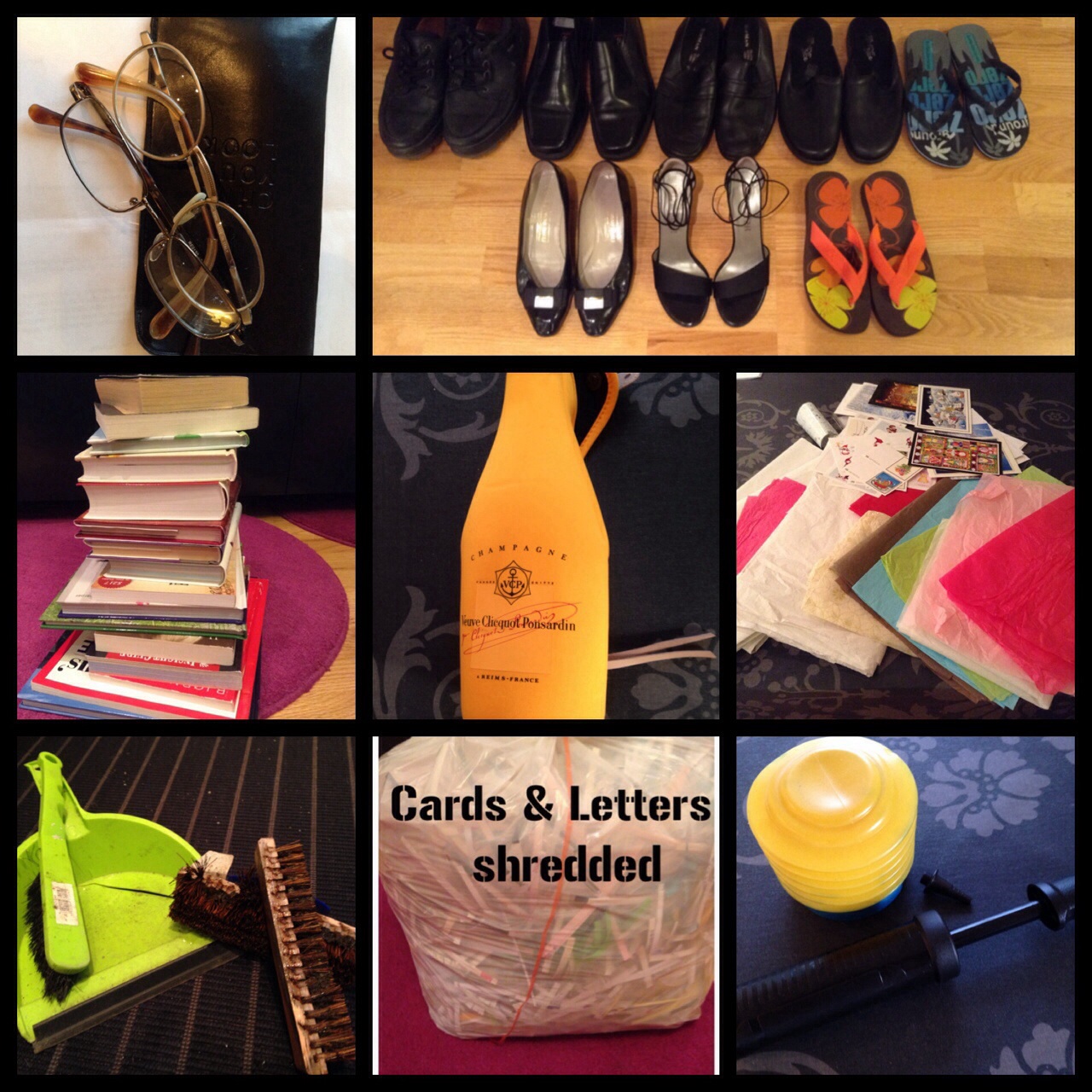
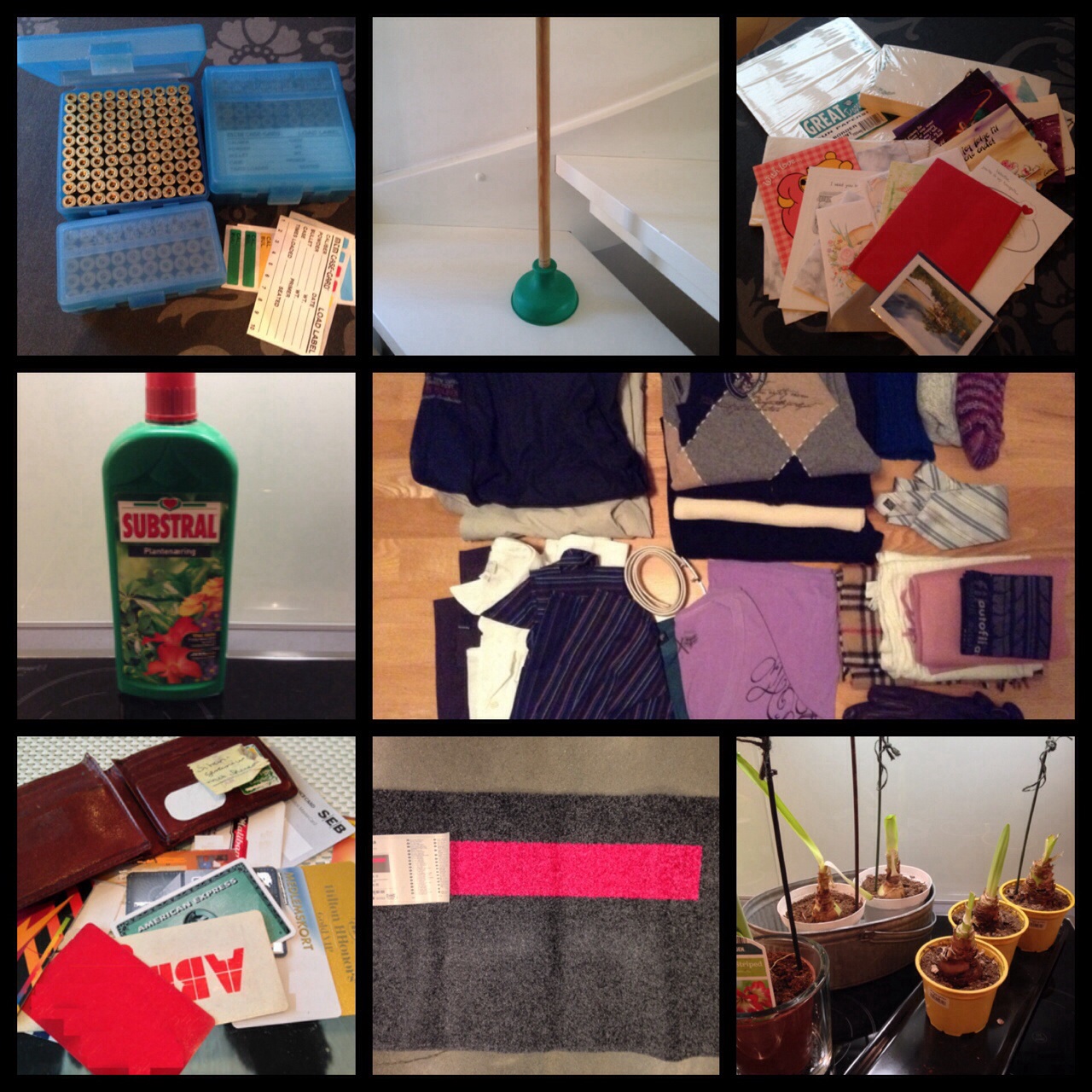
I’ve been at it a month, my little declutter challenge 🙂 So how much have gone out the door?  Let’s see:

image image

Below is an overview. You will see that some I count as one or two item, and some I’ll count as individual items.

JANUARY’s TALLY = 63  Let’s see if I can’t do better, or at least as well in February 😉

  • 2 pairs of eye glasses
  • 8 pairs of shoes
  • 250 bullet casings and 3 casing boxes – count as 2 (casings and boxes)
  • 1 plunger
  • 1 set of writing paper/envelopes and 27 cards – count as 2 (paper set and cards)
  • 17 books
  • 1 champagne cover
  • bunch of Christmas letters and cards – count as 1
  • 1 fertilizer bottle
  • 1 dustpan set
  • 1 terrace brush
  • 2 pumps
  • 1 doormat
  • 6 amaryllis bulbs/plants – count as 1
  • 1 wallet and 19 cards – count as 2 (wallet and cards)
  • 2 outdoor jackets
  • 4 sweaters
  • 3 pairs of wool socks
  • 1 tie
  • 3 scarfs
  • 1 pair of gloves
  • 1 buff
  • 2 t-shirts
  • 3 shirts
  • 1 belt

It takes 21….

It seems like I I’ve gotten into the habit of writing a little “something something” every day, and today is no exception 🙂

Even though I told you a few days ago that I might do bigger declutter bulks, it doesn’t mean I still won’t be chipping away at it. Getting rid of a little something every day is a good routine to get into.

There is an old saying “it takes 21 days to make or break a habit”. Now I’m not a 100% sure on the 21 day rule working for everything. I think it’s very dependent on what habits you are trying to change. Most likely your better off with 30+ days for actually making a habit stick.

But in this instance the 21 day rule might actually apply, this being my 21st day of decluttering (yes I know it’s January 26th, but I have had a few non declutter posts), and because of that, I will declutter 21 items today 🙂

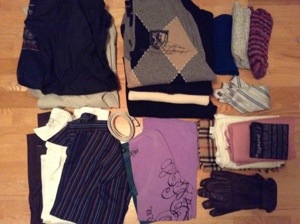
You remember I told you about my fathers stuff? Last time it was shoes, and today it’s some of his clothes. My brother decided on only keeping a few items, and as much as I like some of my dad’s clothes. They neither fit, nor do they look particularly womanly on me 😉

The clothes from dad, that I’m ready to part with today, doesn’t quite make up 21 items, so I’ll throw in a few of my own.

That’s:
2 outdoor jackets
4 sweaters
3 par of knitted wool socks
I tie
3 scarfs
1 pair of gloves
1 buff
2 t-shirts
3 shirts
and 1 belt

So what do you think of that! Day 21 – 21 Items. I’m kinda impressed 😉

20140123-222631.jpg

Taking the plunge

The day started nicely enough this morning, and there was no indication of what a messy day this would turn into.

I left work a little early, and when I got home I decided to open all the blinds to let the sun in. Big mistake, big, big mistake… The sun streamed in through the windows and displayed this thin layer of dust all over (you know how it is, when the sun hits everything just right..! )

Bummer! Then I think, well, why don’t I just give this place a quick once-over and then I can relax all weekend in the glory of a clean house 🙂

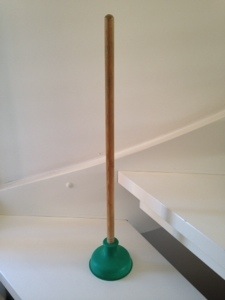
So I started in the kitchen. Clearing some stuff and throwing it in the trash… wait a minute, hmm my trash cabinet seems to need a little clean out as well, so I empty out everything. Among the things I take out to “dust”, I find a good old plunger.

Can you even remember last time you used one of those? Well, mine is old. And while I dusted it, I noticed it looked a little “stiff” in the rubber, so I put it to the floor to give it a trial plunge. And nothing, nothing at all, other that a small crunchy noise. Better take a look…yep.. it’s dead. Poor thing haven’t been used for so long it petrified 😉

Hmmm – an item to toss, cool 🙂 great, I can make a quick little post about it…

Well, not quite, turns out the story didn’t stop there.

Having my nose deep into the cabinet under the sink, it made sense to move my eyes over to the dishwasher right next to it…

Didn’t I read the other day that you should, on a regular basis, clean out the filters and stuff. Great, I think I have one of those dishwasher machine cleaner thingy too. But first the filters.

All cleaned out I put the dishwasher on with that special dishwasher machine cleaner, and smile, all happy with myself.

And then I suddenly remember, don’t I have one of those for the washing machine as well? You can see where this is heading, right? So I walk upstairs., and yep, I’ve got one of those…

Reading the instructions it says to wash the washing powder tray. Right, done. Then to wash the rubber ring in the door.. ok, check.. And then it dawns on me, shouldn’t I have a look at the filter. Out the instruction book comes, get a bucked, empty leftover water, pull the filter. Hmmm, this is starting to look like yucky work to me.. But I go ahead, I know this is good for the machine.

Pulling the instruction book for the washing machine I accidentally opened the dryer instructions first.. Oh “crap” this has a filter as well…. Well, ok then, I finish the washing machine, turn on the washing machine with that special cleaner stuff in, and I turn my attention to the dryer.

Oh, my gosh that filter is disgustingly wet, soggy and yucky. The only fun thing is, that it’s easy to clean. Put it in the shower and pour loads of water through it.. and all the messy stuff just rolls of, and down the drain…

Oh no, the drain

20140124-160940.jpg
Did I ever get to the once-over?

Nope! After the first drain, I decided to tackle the second one, unfortunately that meant moving the washer and dryer to get to it, yikes.. and that job turned into a real workout. Guess I’ll try again tomorrow.

At least all my machines and drains are decluttered though… Oh yes..and the old plunger 😉

A change of course…

I’ve come to realise, that, this… “one thing a day” might not work for me.

“Aha.. giving up already? Isn’t this a little early to throw in the towel?”  Yepp. I can hear you already!

But, you could be wrong 😉

I didn’t say I would stop my decluttering. What I’m saying is that there is this odd chance that I might not have the patience for getting rid of only one item a day. I kind of forgot for a minute, that I’m not really the most patience type 😉 I sort off want to get rid of stuff now, I mean right now… I don’t really want to wait around.

At the same time, I also know that to declutter some stuff, I need to do other stuff first, something which will take time.

To give you one example. One of the declutter tasks I’m planning, is to get rid of most of my papers files. But first I have to scan important papers, to digital form. And that not a job done in a few minutes. And this is not my only digitizing project (I’ll tell you all about them as I move along).  So you see, some declutter items are bigger “projects” on their own.

So what am I saying?  

I’m letting you know I will get rid of at least 365 items as promised, but I might get rid of them in bulks 😉

The key thing is: I will be working on the clutter in my life, through the year. And I will be telling you all about it as I go along.

When I started this, I didn’t have a clear picture about where I wanted to go with this blog, other than posting my daily declutter item.

Now that I’m getting a little into this, I’m coming up with more and more ideas about what I’d like to write about. So stay with me, we are going to have fun with this… 🙂